
-
 Perfect for All Projects
 -
Efficient PPT to PDF Conversion
-
Safe & Protected


Benefits of Our PPT to PDF Converter
Convert your PowerPoint files to PDF documents in minutes.
-

Fast Conversions
Get a compact PDF that contains your entire PowerPoint presentation quickly.
-

Maintain Formatting
Keep all your pie charts, graphs, and images in place when you complete the PPT to PDF conversion.
-
Works on Any Device
Convert your PPTs to PDFs on any device, including desktops, laptops, tablets, and mobile devices.
-
Private Conversions
Our PPT to PDF conversion tool uses advanced encryption, so your info will never fall into the wrong hands.
-
Easy Sharing
Share your new PowerPoint-turned-PDF-file with clients and colleagues when you don’t have time to deliver the presentation yourself.
-
High-Quality Documents
Get a high-resolution PDF that accurately reflects all the contents of your original PowerPoint.


How to Convert a PPT to a PDF
-
 01
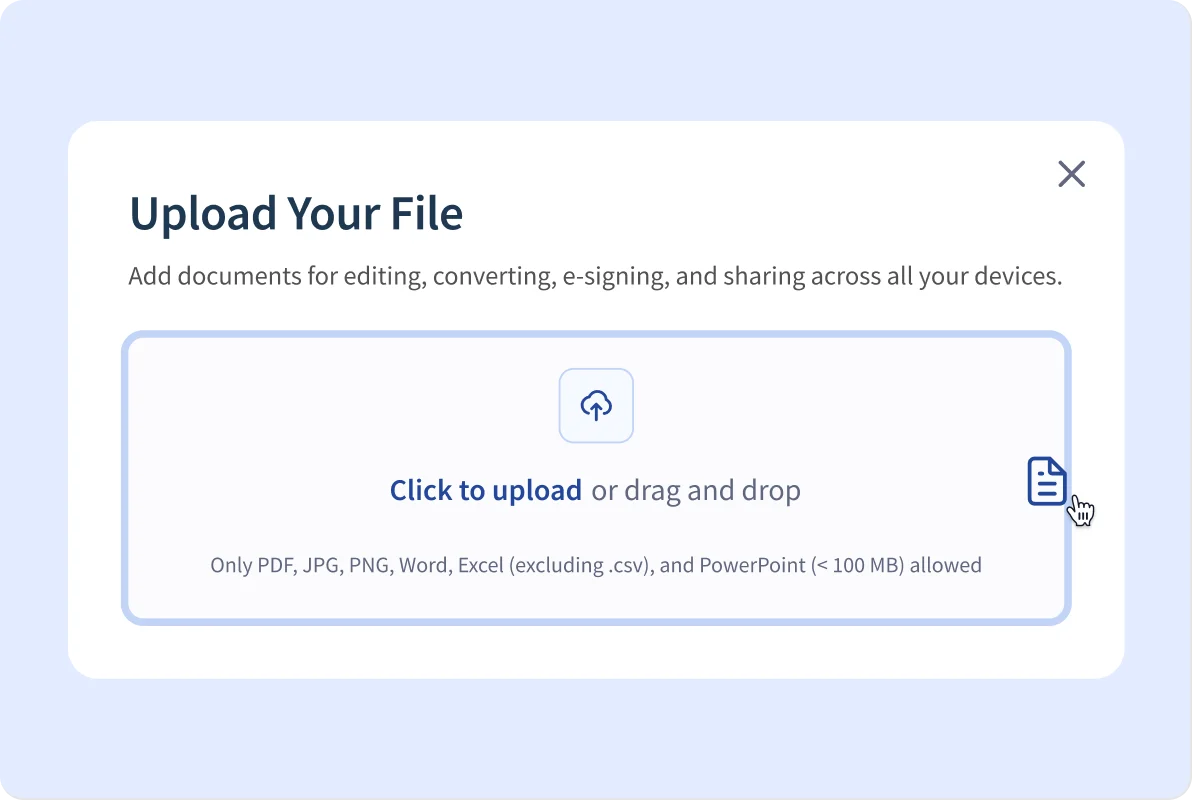
01Upload your PPT or drag it into the converter
Find your original PPT file on your tablet, phone, or computer. Upload it to our PPT to PDF converter or drag and drop it. -
02
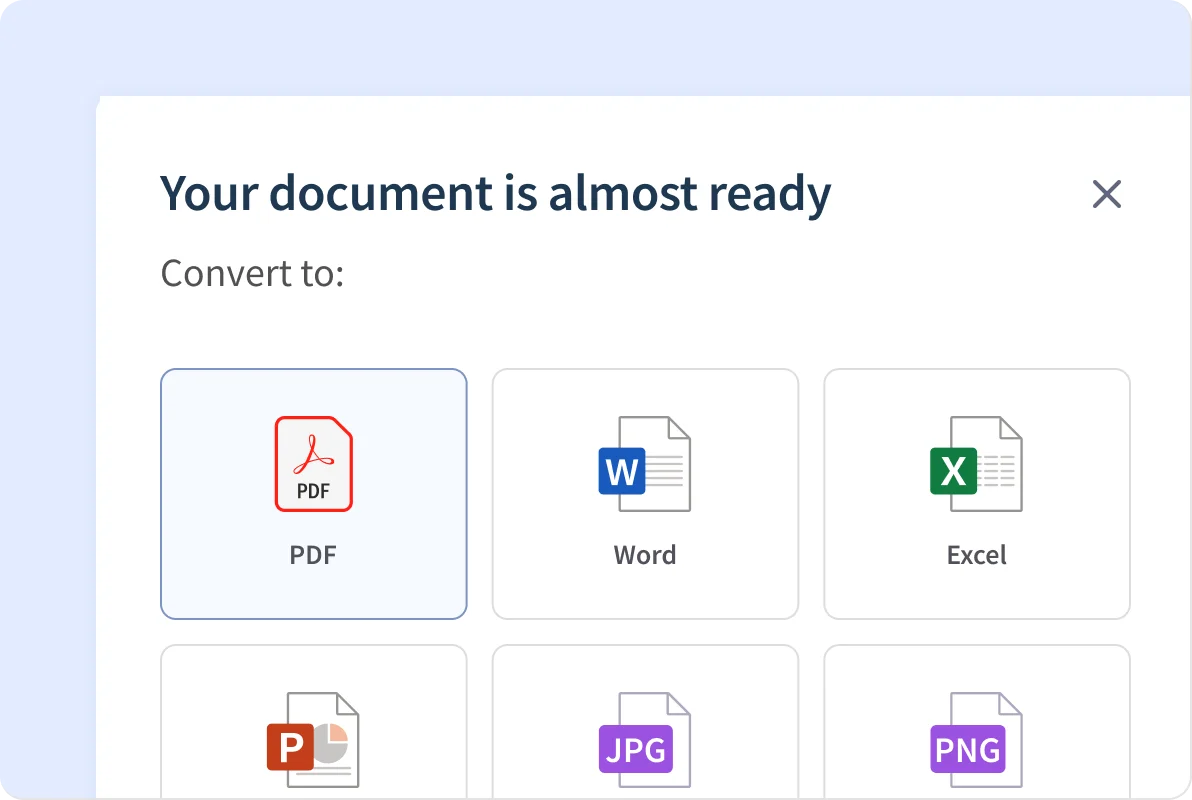
Select convert to PDF
Choose the "Convert to PDF" option. -
03
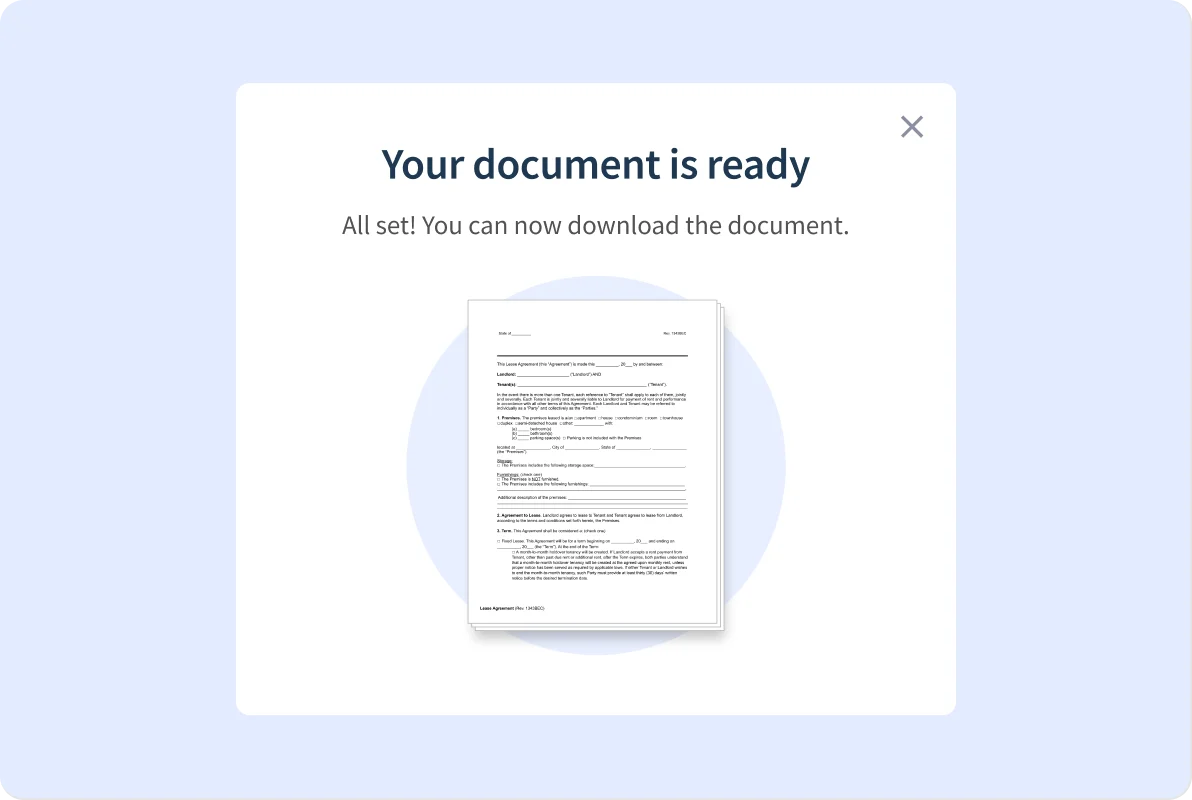
Download or store your new PDF
Download your converted file or store it in your Legal Templates account for future access.
Why People Prefer Legal Templates
-
Start UpI am just starting my business and found everything I needed on Legal Templates. I got all my legal documents to incorporate during my 7-day free trial! But I just had to subscribe to their monthly service because of all the other legal docs available in the employment and real estate sections. I have tried other legal doc sites, but they were too expensive and overly complicated. You should really try LegalTemplates.
-
Great ProductSimple, easy, and lots of options. Well done! I spent 5 minutes and had everything I needed to send a 30-day eviction to a tenant after we decided to sell the property we owned. Thank you, Legal Templates
-
Extremely ProfessionalThe template generation service was highly professional and easy to navigate. I created a lease agreement with all the necessary information within 5 minutes. The customer service was very helpful and attentive. I would definitely come here if I need help creating any legal documents.
-
Needed Help E-Signing My DocumentI had trouble figuring out how to e-sign a document, and Angel, a customer service rep, helped me out and was very patient with me. I was having extreme anxiety even when creating my document. So, all in all, Angel was great!
-
No Stress Template SiteThe site was very easy to navigate through. I selected what I needed, and it went directly to those forms. It’s so much better than other sites I’ve been on. I enjoyed the simplicity and accuracy.
-
Needed Help E-Signing My DocumentI had trouble figuring out how to e-sign a document, and Angel, a customer service rep, helped me out and was very patient with me. I was having extreme anxiety even when creating my document. So, all in all, Angel was great!
-
This Was Precisely What I NeededThe form provided the essential sections to outline the scope and clauses. Thank you so much for creating this template.
-
Editable Bill of Sale for FurnitureI appreciated having the opportunity to choose the format for the template and being able to modify it to meet my specific needs.
-
Extremely HappyI am very happy with the rental agreements I downloaded. I needed both regular and month-to-month and was able to access both in one shot. I highly recommend this site.
Why Choose Legal Templates?
We’ve perfected the craft of editing PDFs—making it fast, secure, and effortless to customize, sign, and share your documents.
+10
Years in Business
+20M
Documents Created
+2M
Registered Customers
Frequently Asked Questions
-
How do I convert a PowerPoint file to a PDF?
To convert a PowerPoint file to a PDF, simply upload your PowerPoint document to our tool, select PDF as the output format, and then download the converted PDF file. The process is quick and efficient, taking just a few seconds to complete.
-
Can I convert individual slides into a PDF?
Yes, you can convert individual slides into a PDF. This allows you to create a high-quality document where each slide is saved as a separate page. It’s a convenient way to share or print specific slides from your presentation.
-
How do I convert PPT to PDF on my computer?
To convert a PPT to PDF on your computer, open a reliable online conversion tool in any web browser. Upload your PowerPoint file, choose PDF as the desired output format, and then download the completed document immediately.
-
Will my fonts or layout change during a PPT to PDF conversion?
No, your fonts and layout will not change during conversion. Our tool guarantees that all visuals, fonts, and layouts remain intact and unchanged from the original file, ensuring a seamless transition.
-
Can I save multiple slides on one PDF page?
Currently, each slide is saved as its own page in the PDF for clarity and consistency. Unfortunately, there isn’t an option to save multiple slides on a single PDF page at this time. This format helps maintain clear visibility and organization of each slide’s content.
Related Articles

Try These Legal Templates Tools
You can convert various file types with Legal Templates, including Word, Excel, PNG, and JPG. You can also access dozens of other tools for easy file management.





